Name, Ziel, Beginn und Ende eintragen. Ein Budget ist freiwillig.
Fertig. Das Titelbild wählt Reisespur automatisch, du kannst es jederzeit ändern.
In the trip list, tap “New trip”.
Enter name, destination, start and end. A budget is optional.
Done. Reisespur picks the cover photo automatically – you can change it any time.
2
Fotos übernehmenImport photosPLUS
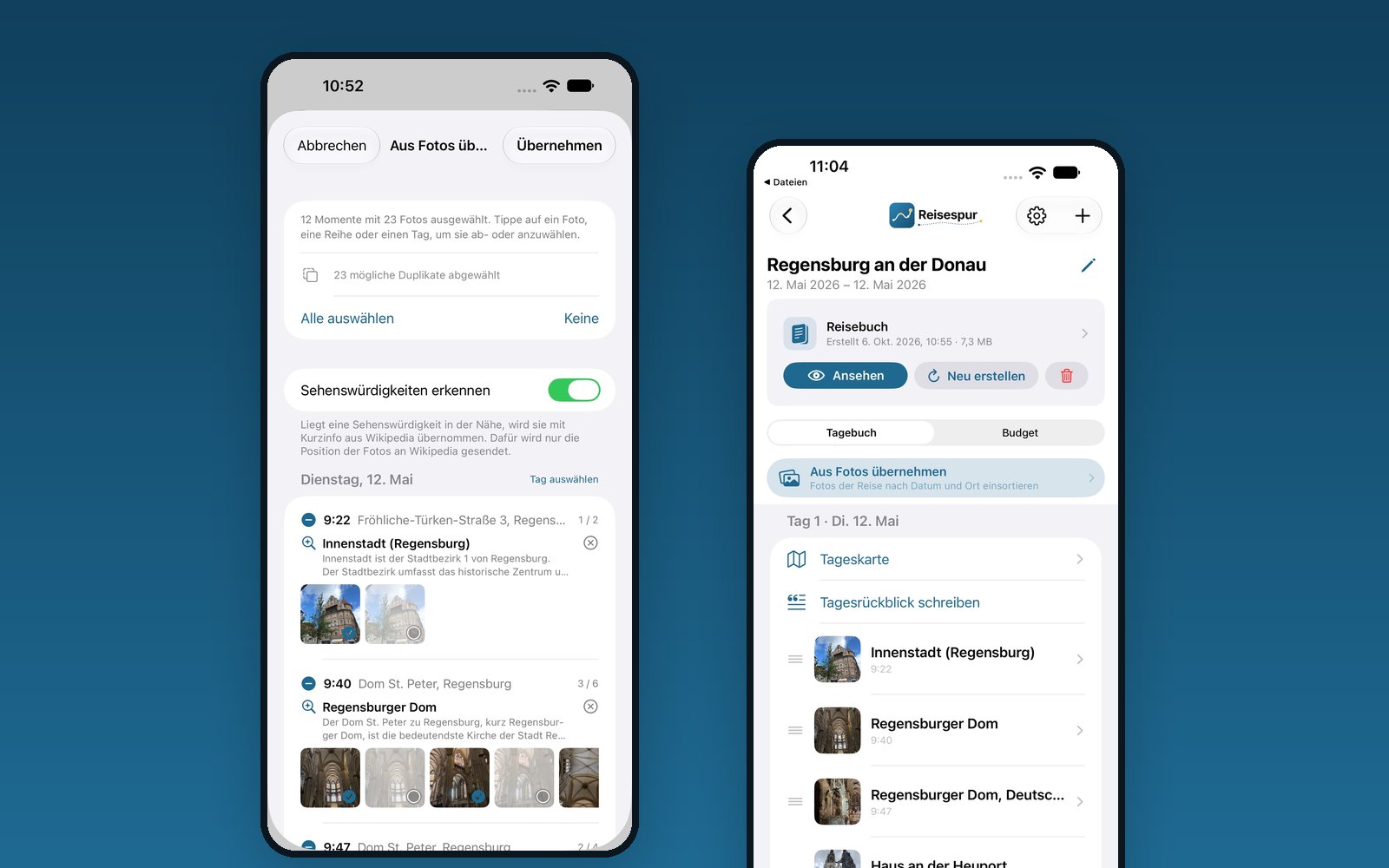
In der Reise auf „Aus Fotos übernehmen“ tippen.
Reisespur findet die Fotos aus dem Reisezeitraum und sortiert sie nach Tag und Ort zu Momenten. Mögliche Duplikate sind schon abgewählt.
Ein Foto, eine Reihe oder einen Tag antippen, um sie ab- oder anzuwählen, dann auf „Übernehmen“.
In the trip, tap “Import from Photos”.
Reisespur finds the photos from your trip dates and sorts them into moments by day and place. Likely duplicates are already deselected.
Tap a photo, a row or a day to select or deselect it, then tap “Apply”.
Unter „Fotos aus“ kannst du statt der ganzen Mediathek ein eigenes oder geteiltes Album wählen. Bei deiner ersten Reise testest du die Funktion gratis mit bis zu 50 Fotos.
Under “Photos From” you can choose your own or a shared album instead of the whole library. On your first trip you can try it for free with up to 50 photos.
3
„Was ist das?““What is this?”
Einen Moment mit Ort öffnen.
Auf „Was ist das?“ tippen.
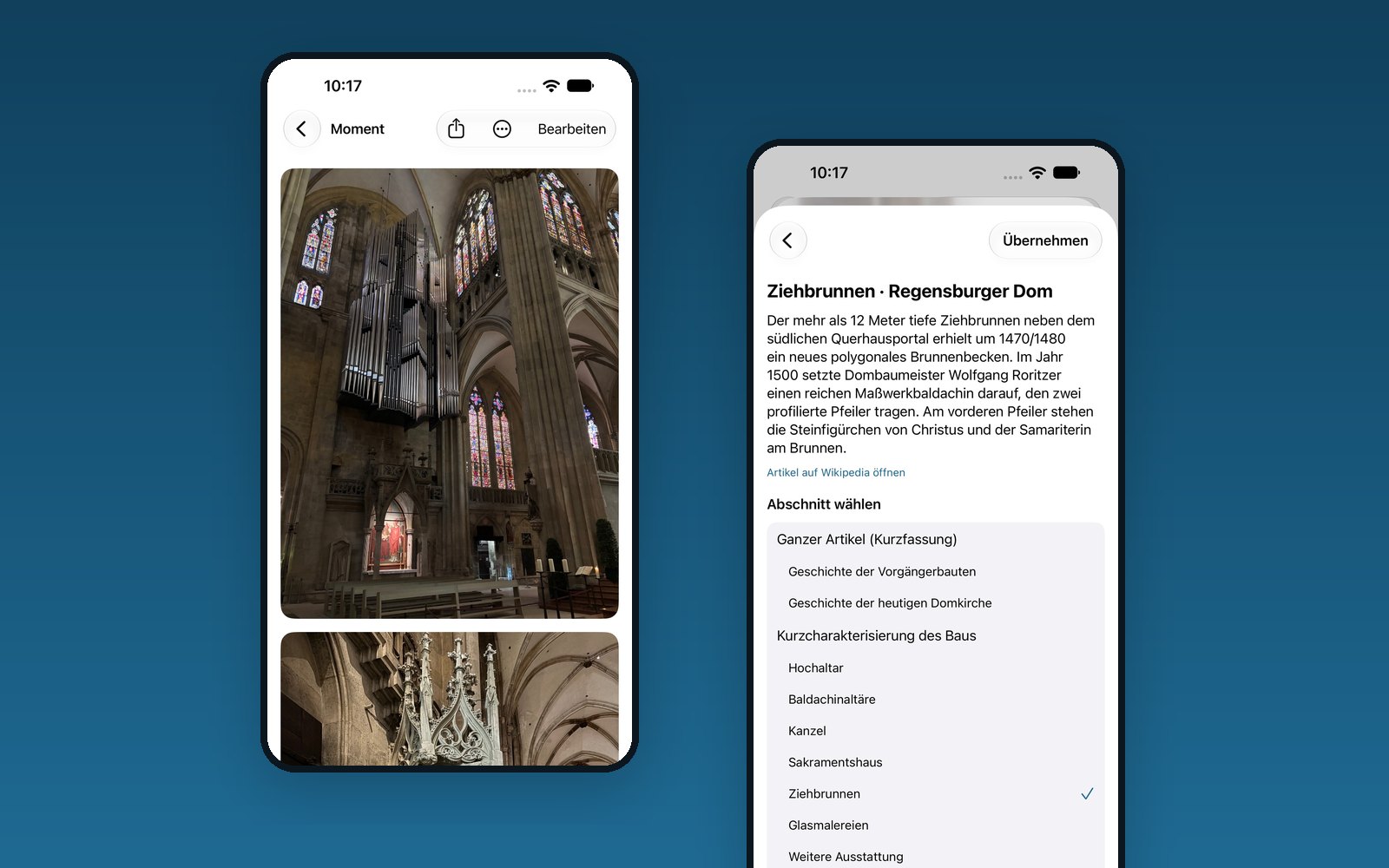
Reisespur zeigt passende Sehenswürdigkeiten aus Wikipedia, bis ins Detail – vom Dom bis zum Ziehbrunnen darin. Den Text übernimmst du mit einem Tipp in den Moment.
Open a moment that has a place.
Tap “What is this?”.
Reisespur shows matching sights from Wikipedia, down to the detail – from the cathedral to the draw well inside it. Add the text to your moment with one tap.
An Wikipedia geht nur die Position, nie das Foto. Es schaut keine KI auf deine Bilder.
Only the location is sent to Wikipedia, never the photo. No AI looks at your pictures.
4
TagesrückblickDay recapPLUS
In der Reise unter einem Tag auf „Tagesrückblick schreiben“ tippen.
Auf „Rückblick vorschlagen“ tippen. Aus Orten, Notizen und Wikipedia entsteht ein erster Entwurf.
Den Entwurf ergänzen oder umschreiben – es bleibt dein Text.
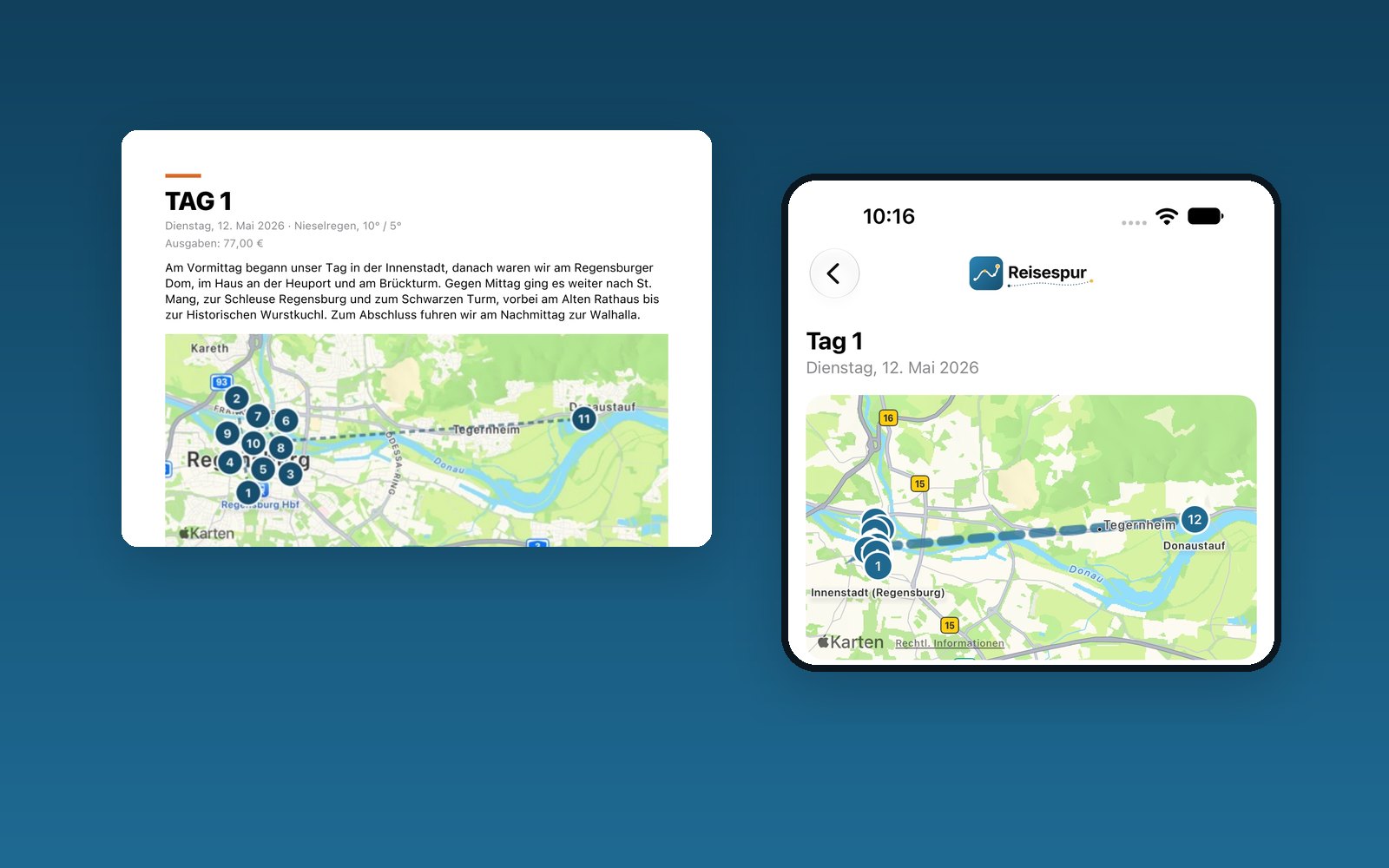
Unter „Tageskarte“ siehst du den Tag als Weg auf der Karte, mit Wetter, Momenten und Ausgaben.
In the trip, tap “Write Day Recap” below a day.
Tap “Suggest Recap”. Places, notes and Wikipedia become a first draft.
Add to it or rewrite it – it stays your text.
Under “Day map” you see the day as a route on the map, with weather, moments and expenses.
Der Vorschlag entsteht auf deinem Gerät. Schritte und Wanderungen kommen auf Wunsch aus Apple Health.
The draft is created on your device. Steps and hikes can come from Apple Health if you like.
5
Reisebuch erstellenCreate the travel book
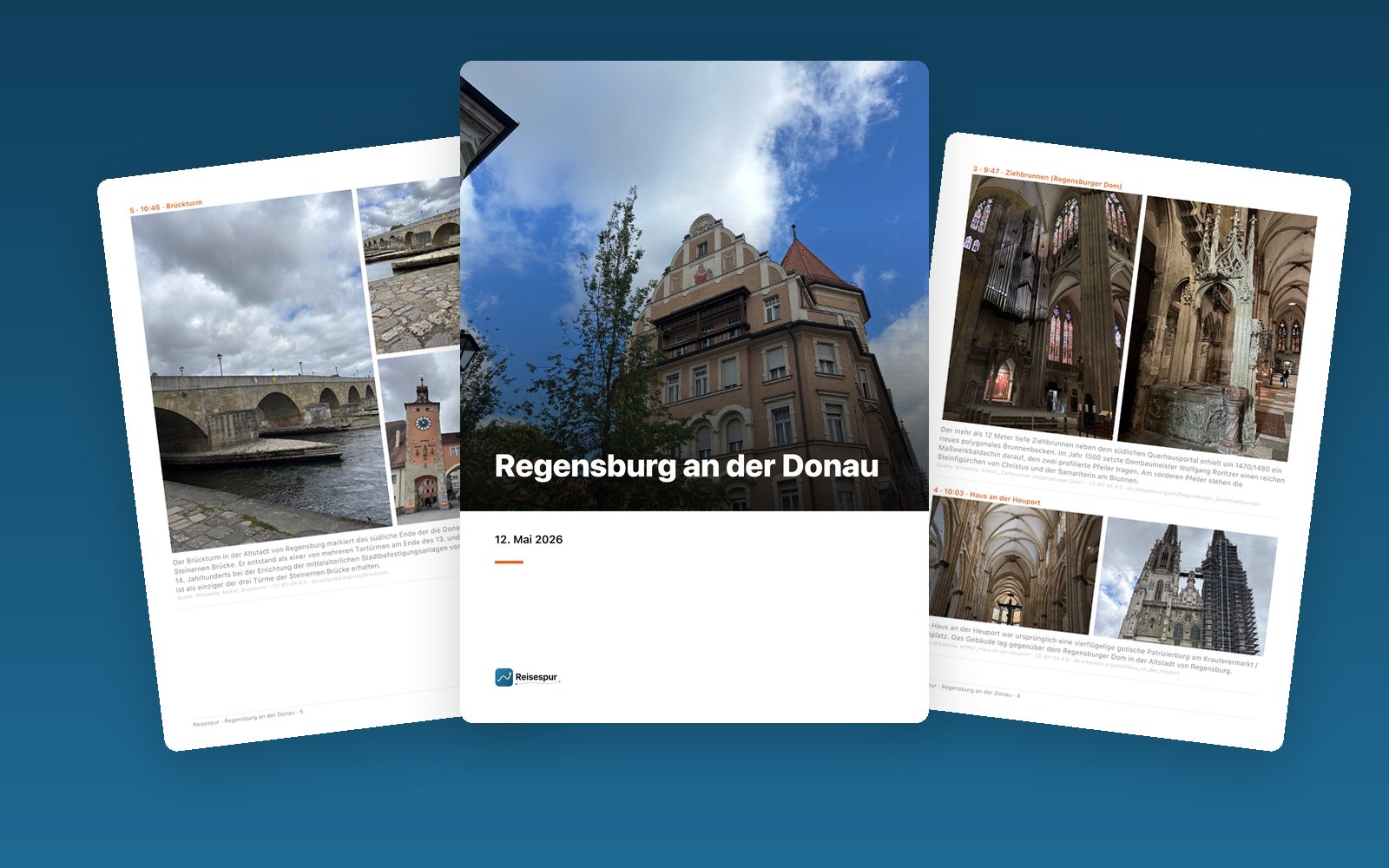
In der Reise oben auf „PDF-Reisebuch erstellen“ tippen.
Einen Stil wählen – Klassisch, Magazin oder Kompakt – und Hoch- oder Querformat.
Auf „Reisebuch erstellen“ tippen. Nach Änderungen genügt „Neu erstellen“.
In the trip, tap “Create PDF travel book” at the top.
Pick a style – Classic, Magazine or Compact – and portrait or landscape.
Tap “Create Travel Book”. After changes, just tap “Recreate”.
Klassisch ist kostenlos, Magazin und Kompakt gehören zu Plus. Ist ein Kopf abgeschnitten, hilft im Moment „Bildausschnitt anpassen“.
Classic is free, Magazine and Compact are part of Plus. If a head is cut off, use “Adjust photo crop” in the moment.
6
Teilen, drucken, erinnernShare, print, remember
Das fertige PDF ansehen, teilen, in „Dateien“ sichern oder drucken – zu Hause oder bei einem Fotobuch-Dienst.
Einzelne Momente teilst du als Postkarte: im Moment auf Teilen tippen und „Wie im Moment“ oder „Ein Foto“ wählen.
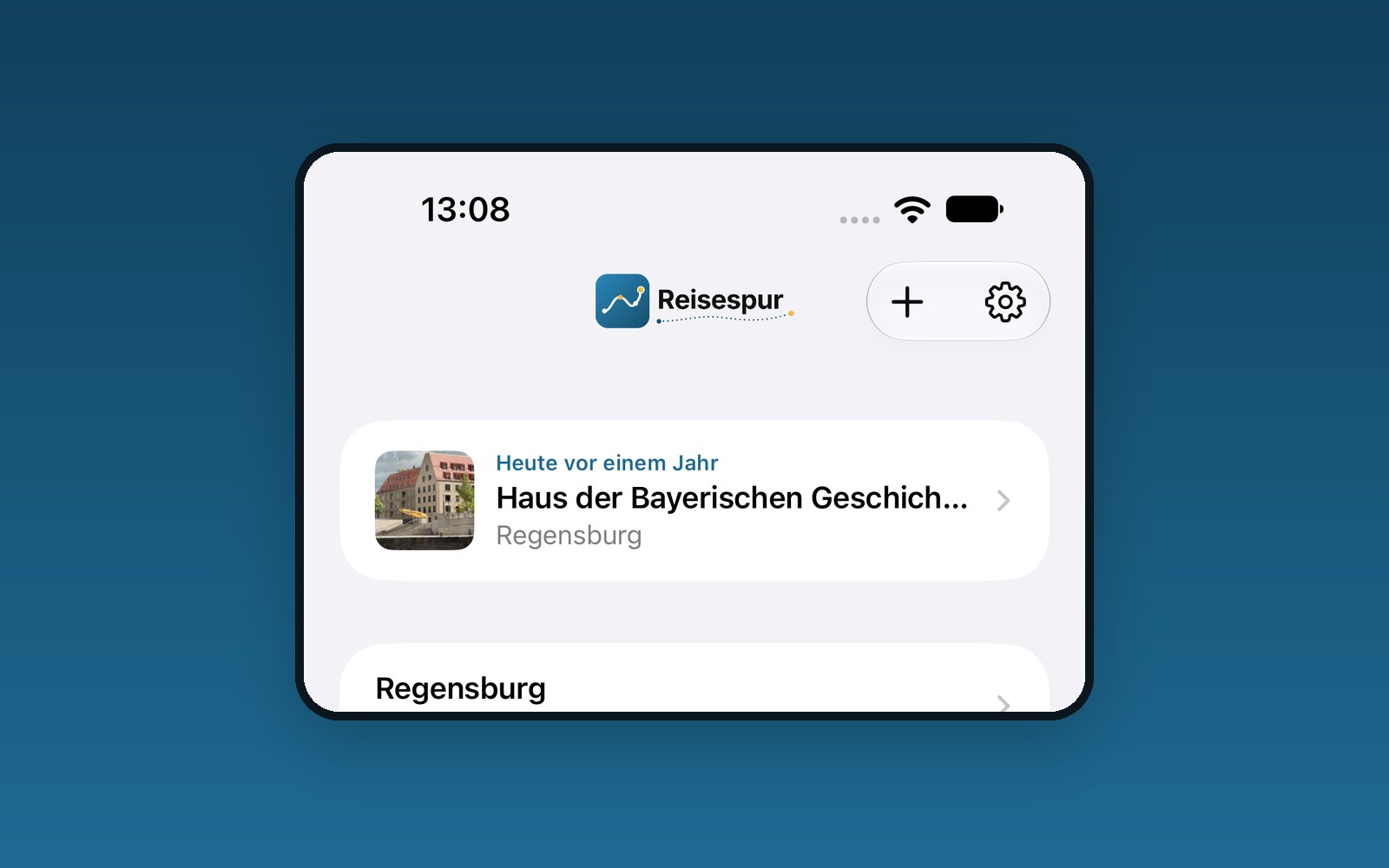
Ein Jahr später meldet sich Reisespur: „Heute vor einem Jahr“.
View, share, save to Files or print the finished PDF – at home or with a photo book service.
Share single moments as a postcard: tap Share in the moment and choose “Like the moment” or “One photo”.
A year later, Reisespur speaks up: “On this day last year”.
Sprachnotizen stehen im Reisebuch als QR-Code. Mit dem iPhone gescannt, öffnet sich der Moment in Reisespur und die Aufnahme spielt ab.
Voice notes appear in the travel book as QR codes. Scan one with your iPhone and Reisespur opens the moment and plays the recording.
Bereit für deine Reise?Ready for your trip?
Reisespur ist kostenlos. Plus ist ein Einmalkauf ohne Abo und gilt auch für die Familie.
Reisespur is free. Plus is a one-time purchase, no subscription, and works with Family Sharing.